Journal Report & General Ledger
Review grouped debit and credit entries in the Journal Report, with dates and transaction references. Use the General Ledger for a view of activity organised by account.

Bring account structure, opening balances and manual journals into view. Keep the details behind your financial records organised and easy to review.
Explore accounting tools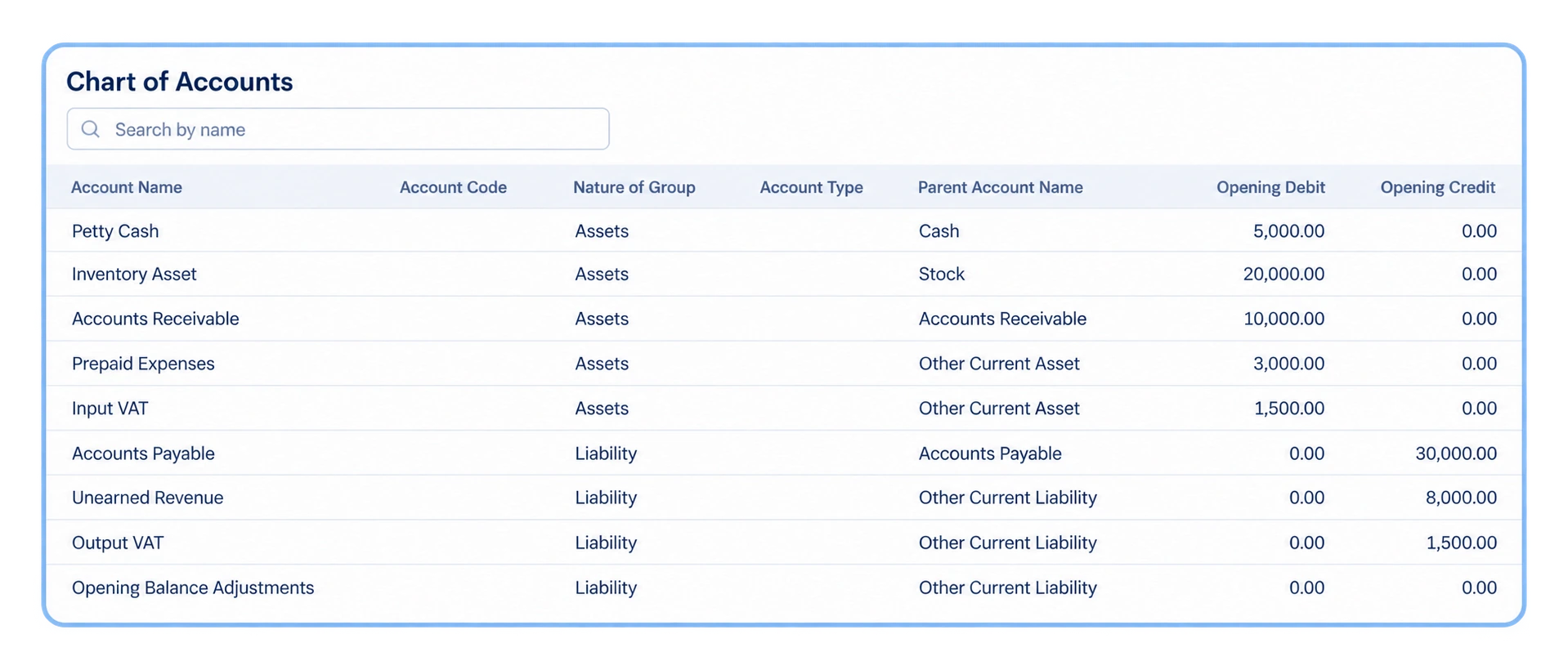
Review your account list with names, codes, groups, account types and parent accounts side by side. Find the account you need without losing sight of how it fits into your books.
Search the chart of accounts to locate records such as Petty Cash, Inventory Asset or Accounts Receivable. Account names and the account code column provide references for identifying each record.
See the nature of group alongside the account type and parent account. The sample chart shows assets and liabilities, with parent accounts such as Cash, Stock and Accounts Payable.
Keep receivables, payables, prepaid expenses and input and output VAT accounts in the same searchable list. Review their classifications alongside the balances recorded for each account.
Opening Debit and Opening Credit appear in separate columns in the chart of accounts. Review each starting amount alongside its account name and classification.
Check which side holds the opening amount for each account. Keeping both columns visible makes it easier to review the starting figures without combining them into a single number.
Use the account group and parent account to understand which record a balance belongs to, from cash and stock through customer and supplier accounts.
These columns show opening balances. Use the account reports to review subsequent activity and the wider financial position.
Review manual journal records with their dates, journal numbers, references, notes and amounts. Keep the purpose of an entry visible alongside the figure it relates to.
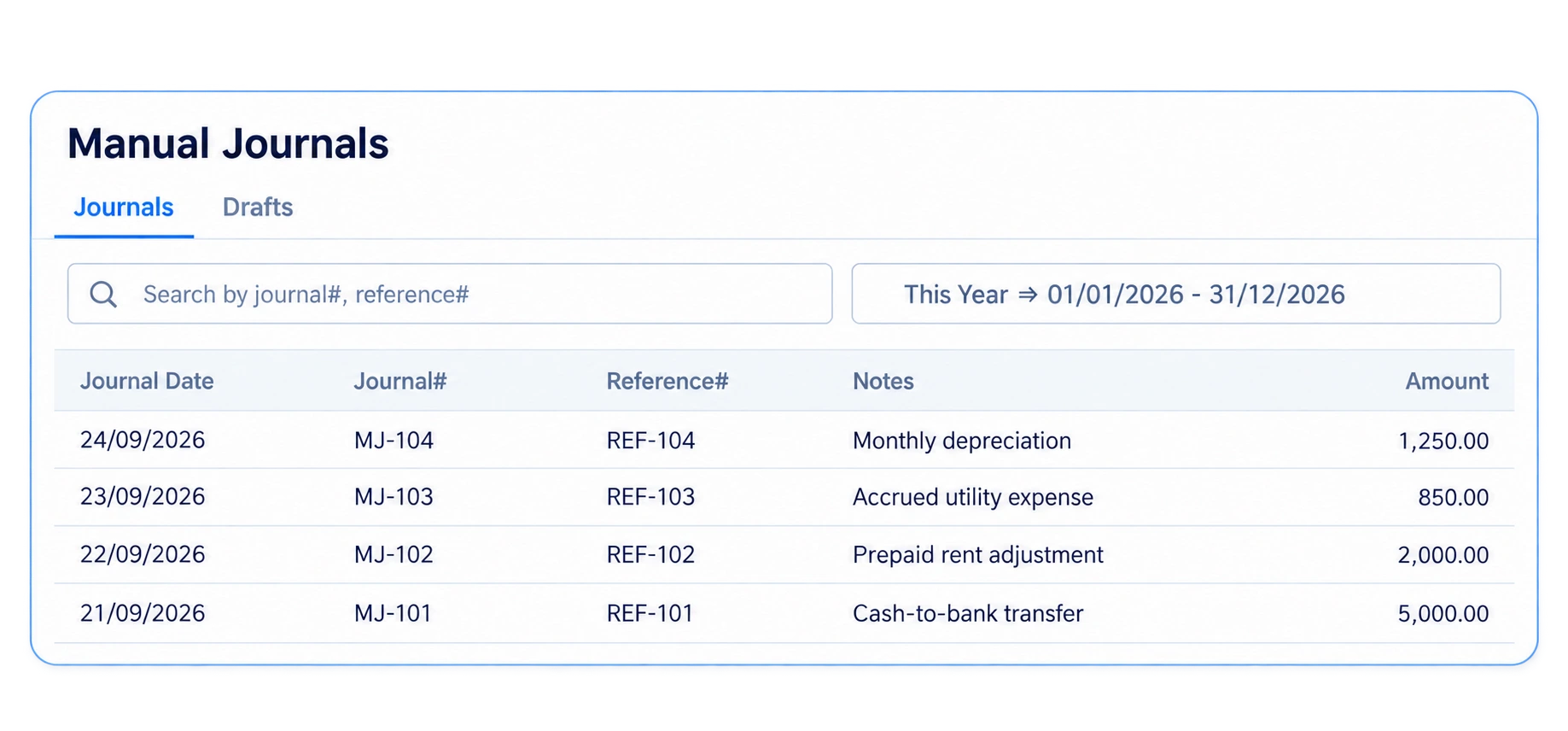
Move between the Journals and Drafts tabs to review journal records and locate work saved as a draft. The separate views keep draft entries easy to find.
Search by journal number or reference, and select a date range to focus on a particular period. Review the journal date and amount together when checking a record.
Notes describe the reason for an entry. The sample records show monthly depreciation, an accrued utility expense, a prepaid rent adjustment and a cash-to-bank transfer, each with its own reference.
Continue your review through the accounting reports available in Tranz. Look at transaction detail, account balances and financial results from different perspectives.
Review grouped debit and credit entries in the Journal Report, with dates and transaction references. Use the General Ledger for a view of activity organised by account.
Review debit and credit account balances through the Trial Balance. The Balance Sheet provides a view of assets, liabilities and equity for your financial review.
Review income and expenses to understand business performance. Explore the analytics overview for sales, cost of goods sold, gross profit and net profit or loss.
Explore Tranz on Web, Desktop and Mobile. Detailed availability of these accounting tools on each platform is TBD.
Compare platformsEverything you need to know to manage your business smarter, all in one place.