
Every purchase.
Every detail in view.
Keep purchase orders, vendor details, bills and payments together, with credit and refund records for purchase adjustments. Clear paperwork for each step of buying.
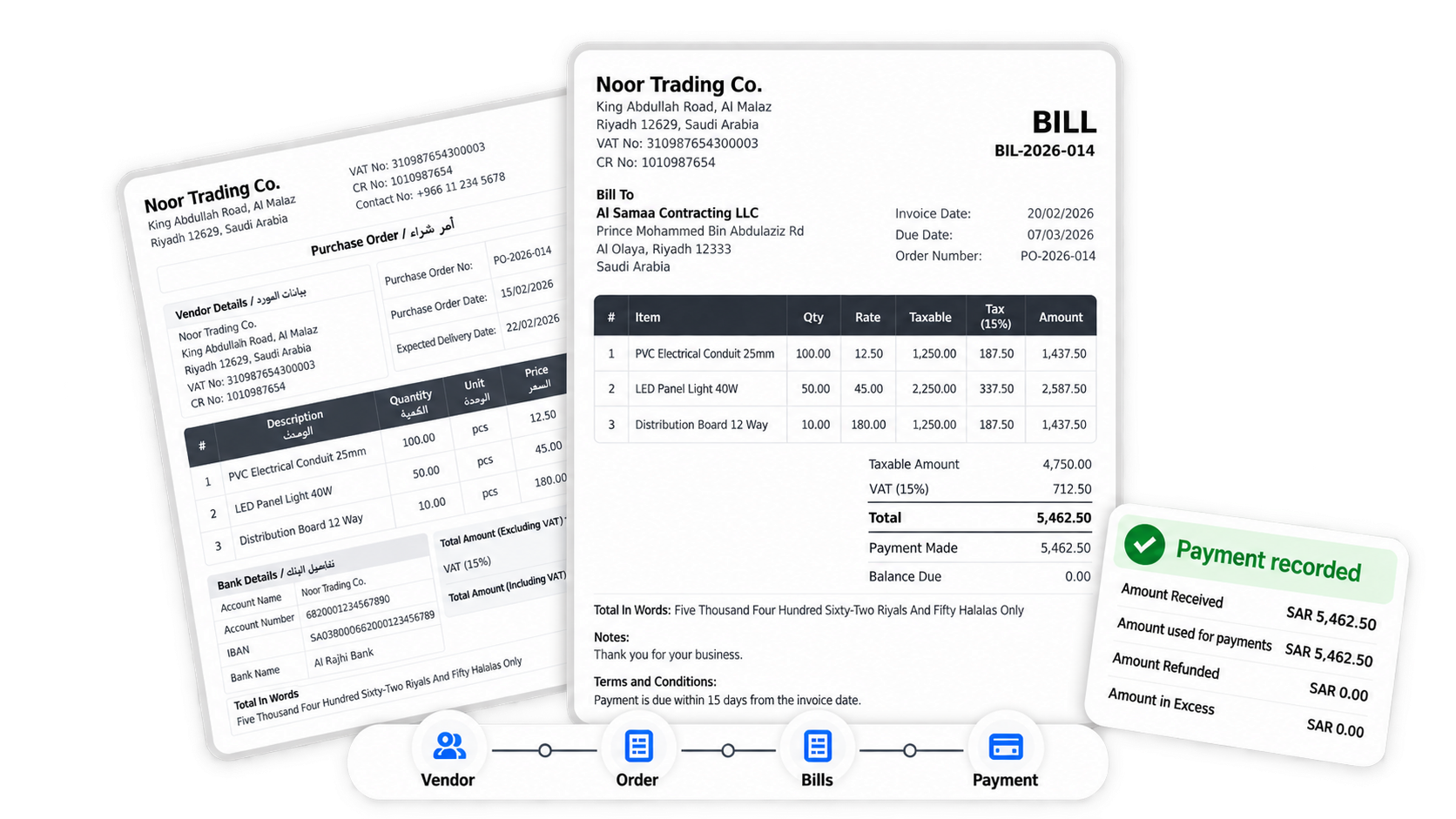
Know what you ordered.
And who it’s coming from.
Review purchase orders with the vendor, reference, status and amount alongside each other. Find the details you need before following up with a supplier.
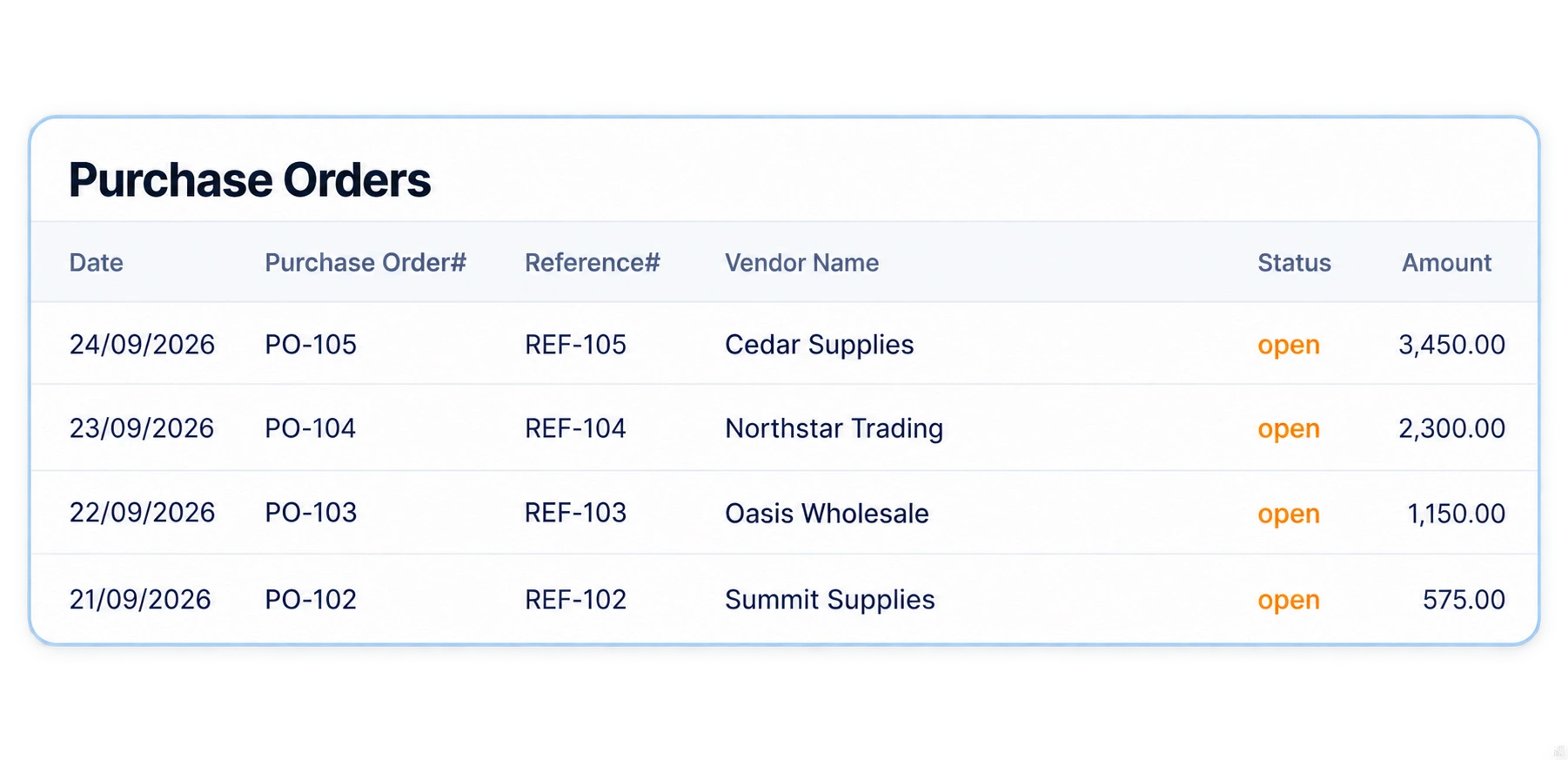
A reference for every order
Use the purchase order number and reference to identify a purchase, with its date and vendor in the same row.
Status beside the amount
See which orders are marked open and review their amounts without moving between separate records.
Your suppliers.
One organised list.
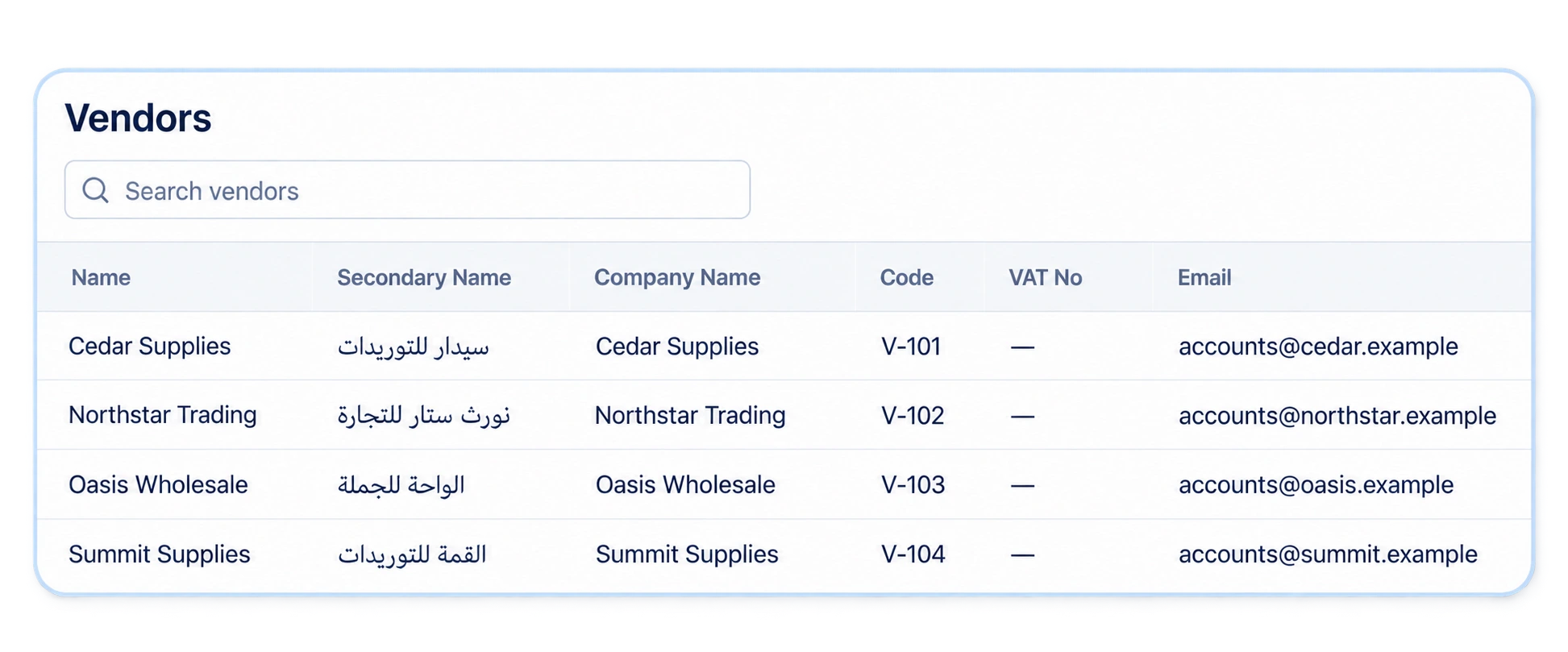
Keep the details that identify each vendor in one place. Search the vendor list and recognise suppliers by their names, company names and codes.
Primary and secondary names support English and Arabic supplier details, alongside the company name.
Keep vendor codes, VAT numbers and email addresses available when reviewing your supplier records.
Your purchase bills.
Two ways to present them.
Choose from two PDF bill templates: a detailed bilingual layout or a simpler bill format. Present vendor information, purchased items and totals in the layout that suits your business.
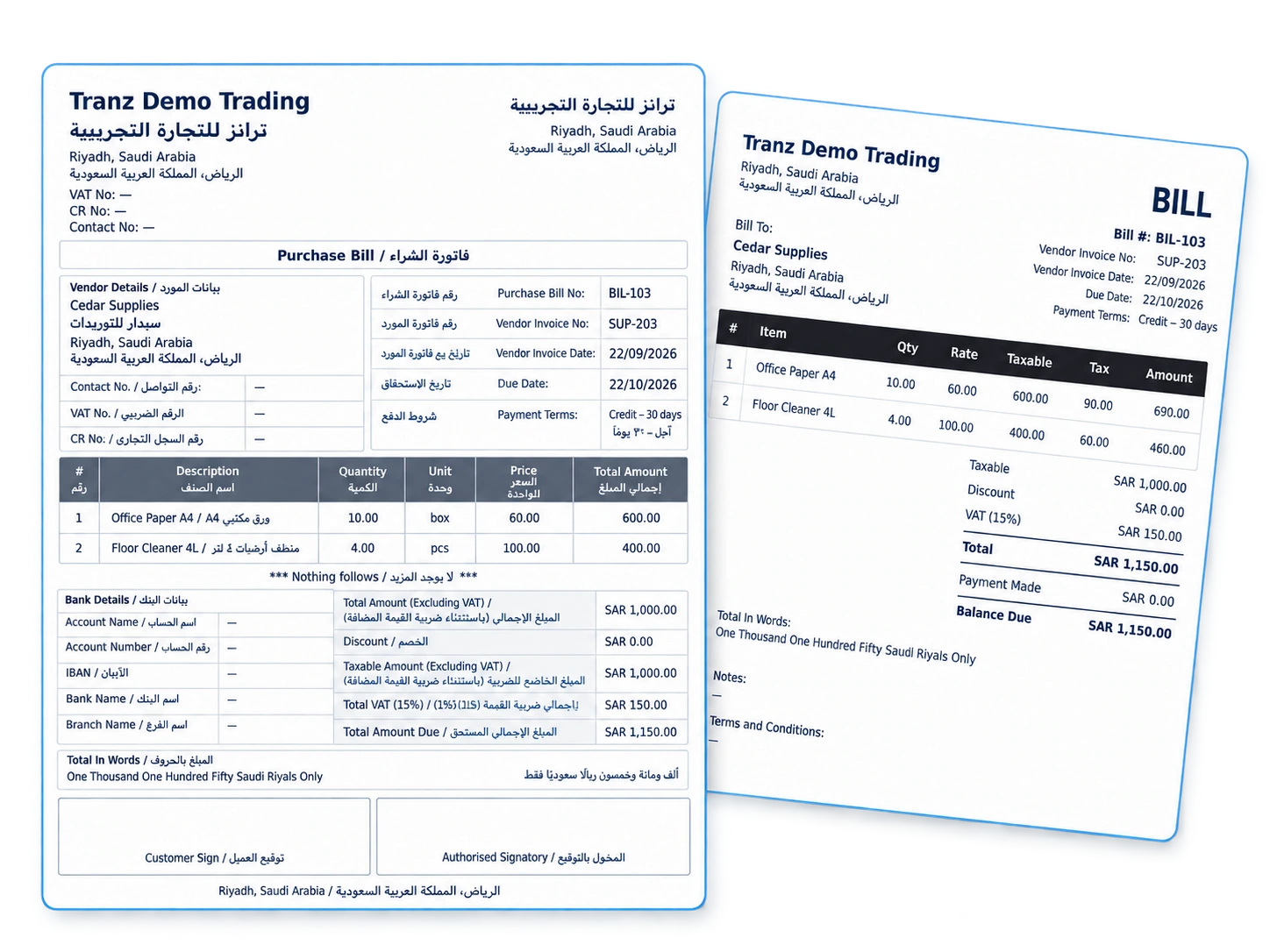
Bill and vendor references
Show your purchase bill number alongside the vendor’s invoice number, invoice date, due date and payment terms.
Item details and VAT
Present quantities, prices and line amounts, with taxable amounts, discounts and VAT clearly separated in the totals.
A choice of document layouts
The detailed template includes Arabic and English labels, bank details and signature fields. The simpler template gives the bill a compact presentation with payment and balance totals.
Keep each payment
easy to trace.
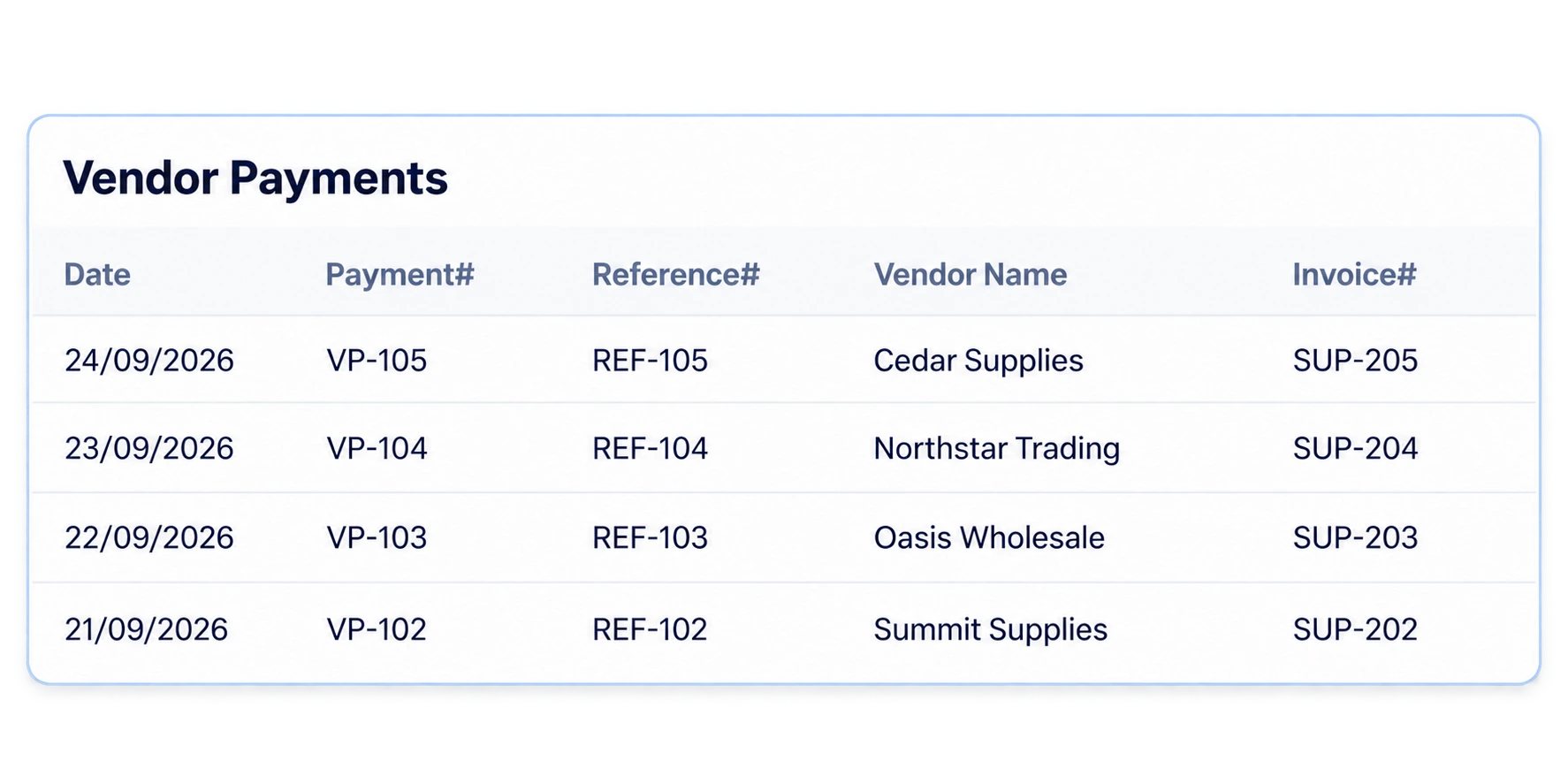
Review vendor payment records by date, payment number and reference. Keep the vendor and invoice reference visible together when checking a payment.
Payment numbers and references give each record a clear identity, helping you distinguish payments made to the same supplier.
See the invoice number recorded against a vendor payment to help connect the payment with the purchasing paperwork.
Give purchase adjustments
a clear record.
Create a vendor credit against a selected vendor purchase invoice. Keep the items, amounts and supporting details together so you can review what the credit relates to.
Connect the credit to the purchase
Find a vendor by name, phone or code, then select the vendor purchase invoice. Record the vendor credit number, credit date and reference to identify the adjustment and its original paperwork.
Review the items and totals
Add item rows with quantities and prices, and review discounts, net amounts, tax and line totals. Tax type and discount type controls help you enter the adjustment, with taxable amount, total tax and the final credit amount in view.
Keep the explanation with the credit
Add notes and terms and conditions to explain the credit and retain the details needed for follow-up. Save the record, or use Save and Print to prepare a copy for your purchasing paperwork.
Track the refund.
Keep the credit in view.
Record a vendor refund with its payment details and the credit transactions it relates to. Review the refundable credits and the amount allocated before saving.
Record the refund details
Select the vendor and enter the refund number, date and reference. Choose the payment mode and account, then enter the refund amount to keep the transaction details together.
Allocate against refundable credits
Review each listed transaction’s date, number and details alongside its total credits and credits refundable. Enter the refund allocation against the relevant rows, with an option to clear the applied amount when revising it.
Check the amount applied
Compare the entered amount with the amount used for refunds in the summary. Add notes to explain the transaction, then save the refund or use Save and Print to keep a printable record.
Explore Tranz on Web, Desktop and Mobile. Detailed availability of these purchasing tools on each platform is TBD.
Compare platforms
Simplify today
Grow tomorrow
Everything you need to know to manage your business smarter, all in one place.